Where to go after Excel: software your team and AI agents share
Your spreadsheet, rebuilt as a real app.Your business, ready for AI agents.
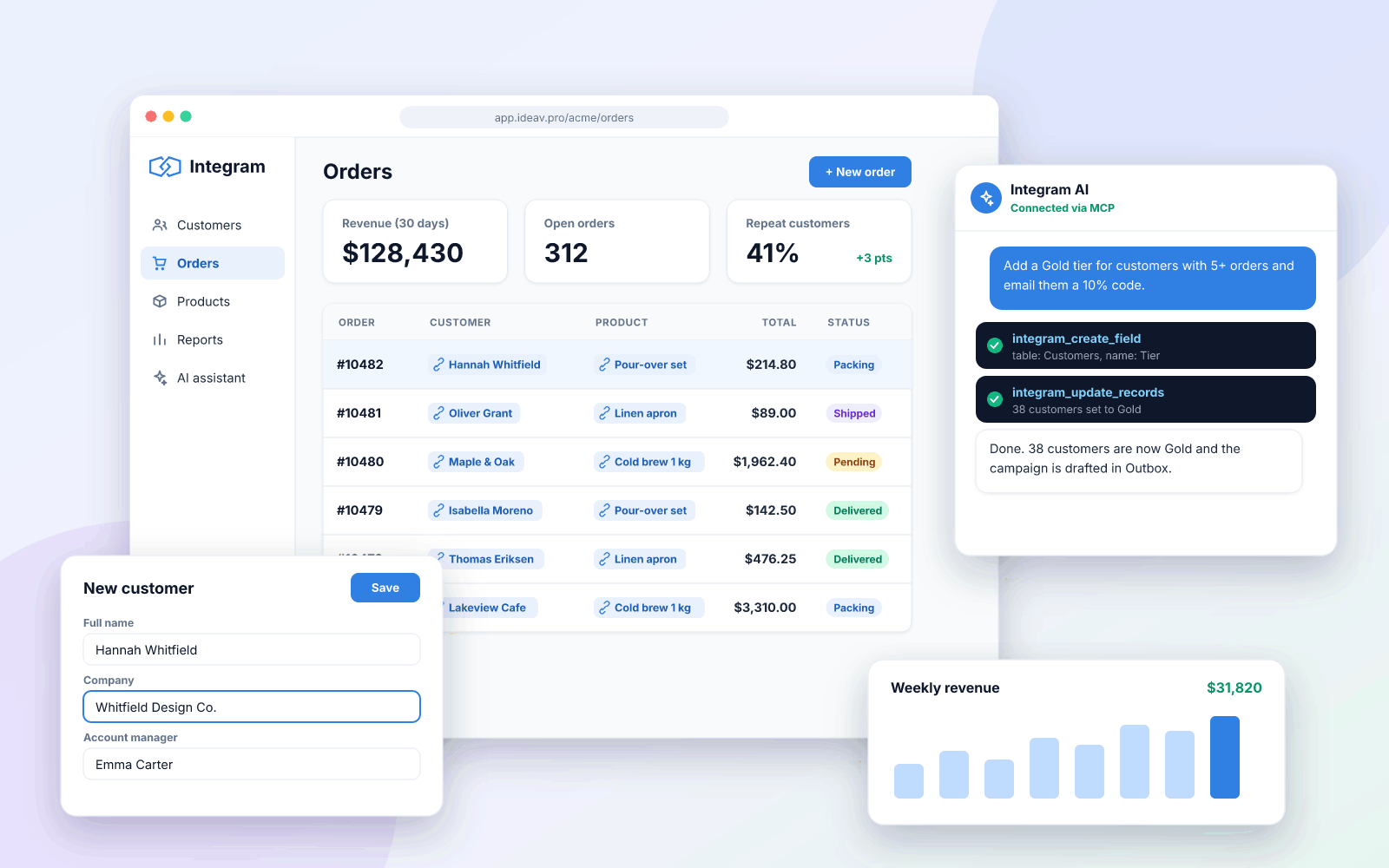
Upload an Excel file and get a web app with linked tables, forms, roles and reports. Your team works in the browser, and Claude or any MCP-compatible agent works in the same data, with the same permissions.
Free plan forever. No credit card. Sign up with email.
After Excel
Most teams build agents that do things. We build businesses agents can work with.
Ask an assistant to book a plumber or a dentist and it finds websites, not a system it can use. The schedule, the prices and the orders sit in a spreadsheet. Integram turns that spreadsheet into one environment where people and agents work with the same data.
Your team
Lists, record cards, forms and reports in the browser. The same columns you had in Excel, now with roles and one current copy.
Your AI assistant
Connect Claude, Cursor or another MCP client and ask for a new field, a report or a role. It changes the app you already use.
Outside agents
Give an assistant its own user with a narrow role. It can check a status, find a free slot or create a request, and sees nothing else.
You build tools with AI agents
Give your agent a real backend instead of a pile of JSON files: tables, relations, users and permissions it can create and query through MCP or REST, with a UI your colleagues can use the same day.
Connect your agentYour business runs on spreadsheets
Keep the data and the way you work, lose the copies and the hand-made reports. One shared system where each person sees what they need, without hiring developers or paying per seat.
Turn Excel into an appThe problem
A spreadsheet is a great start and a bad system of record
It works until two people need it at once. After that, most of the effort goes into keeping the file honest instead of doing the work.
Nobody knows which copy is current
The file is emailed, renamed and merged by hand. Every number gets double-checked before anyone dares to act on it.
Everyone sees everything
A spreadsheet has no roles. Salaries, margins and client lists sit one tab away from whoever needed the stock count.
Relations live in somebody’s head
Orders, customers, products and payments are connected, but a sheet only knows rows. Keeping them in sync becomes an unpaid second job.
How it works
From file to working app before lunch
No specification, no six-month project. You start from the data you already have and improve the app while people use it.
- 1
Upload your spreadsheet
Drop in an .xlsx file. Integram finds the tables, the column types and the columns that point to other sheets.
- 2
Check the structure
Repeated names become links between tables, so each customer or product exists once. Adjust anything before you confirm.
- 3
Invite the team
Give each role its own view: who can see which tables, columns and rows. Forms, filters and reports work from day one.
- 4
Let AI take it further
Connect Claude or another agent through MCP and ask for a new table, a report or a cleanup. It works inside the rules you set.
Built for AI agents
Ask for the app you need. Your agent builds it in Integram.
Integram exposes the whole platform, not just the data, through an MCP server and a REST API. An agent can design tables, link them, load records, set up roles and query the result. People then use the same app in the browser.
- Works with Claude Desktop, Claude Code, Cursor and other MCP clients
- Agents act with the permissions of their account, nothing more
- Every change, by a person or an agent, is written to the audit log
- Prefer your own model? Self-host and keep the data on your servers
# You, in Claude:
Create a client portal from clients.xlsx. Each client should only see their own projects and invoices.
# The agent, through the Integram MCP server:
- ✓ created tables Clients, Projects, Invoices
- ✓ linked Projects → Clients, Invoices → Projects
- ✓ imported 214 clients, 631 projects
- ✓ added role “Client” with row filter: own records
# Done. Invite your first client.
What you get
Everything a business app needs, nothing to code
Real relational data
Tables that reference each other, lookups across links, and nested or recursive queries for reports a spreadsheet cannot do.
Access down to the row
Roles control tables, columns and individual records. A rep sees their own deals; finance sees the margins.
Forms, reports, dashboards
Data-entry forms for the people who add records, live reports for the people who read them, scheduled emails for the rest.
Full REST API
Schema, records, users, roles and access rules are all available over HTTP with a token. Screens are plain HTML, CSS and JS.
Cloud or self-hosted
Start in the cloud. Move to a Docker container on your own servers, even without internet access, when you need to.
Sign in your way
Email sign-up to get started. SSO and LDAP / Active Directory for larger teams.
Use cases
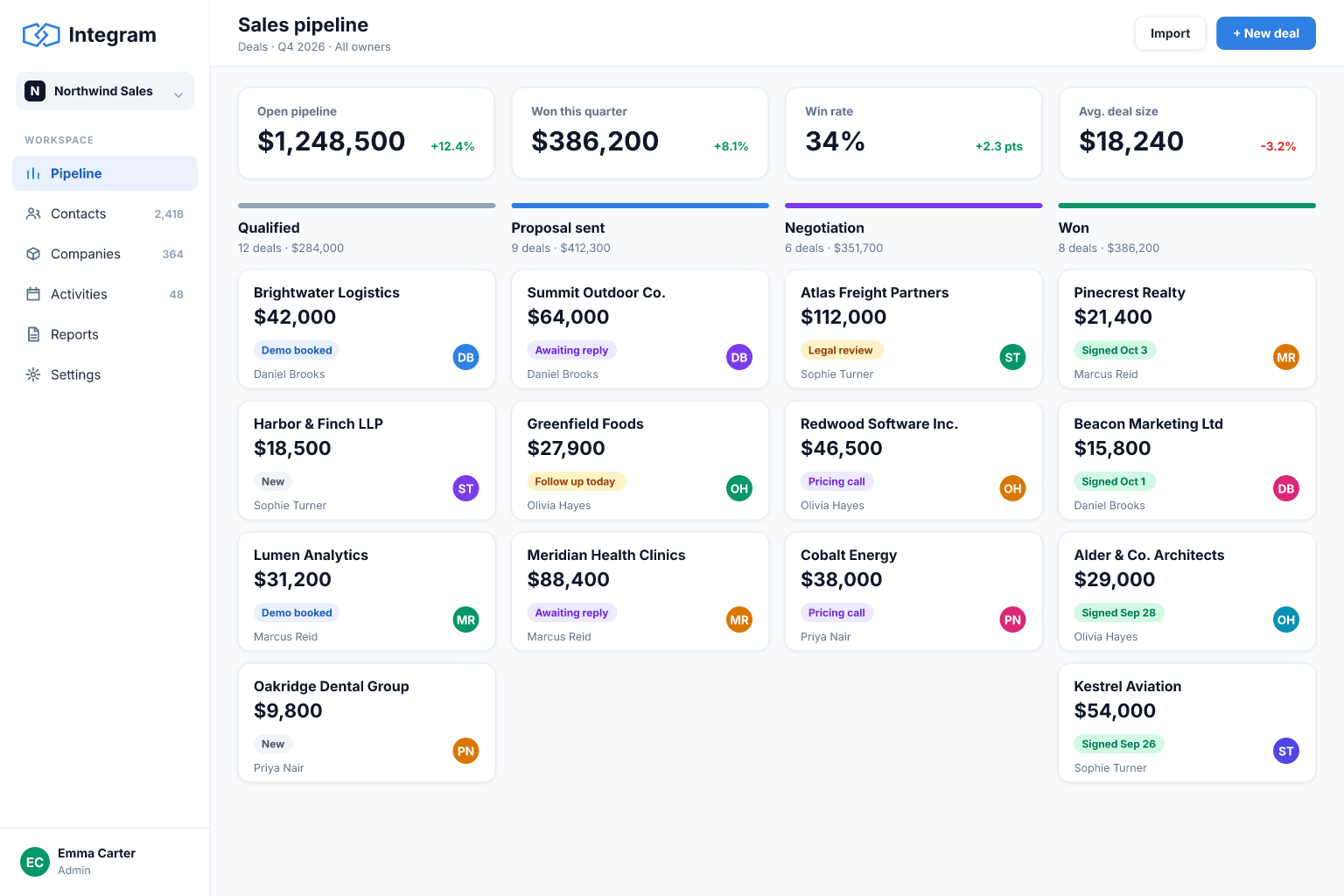
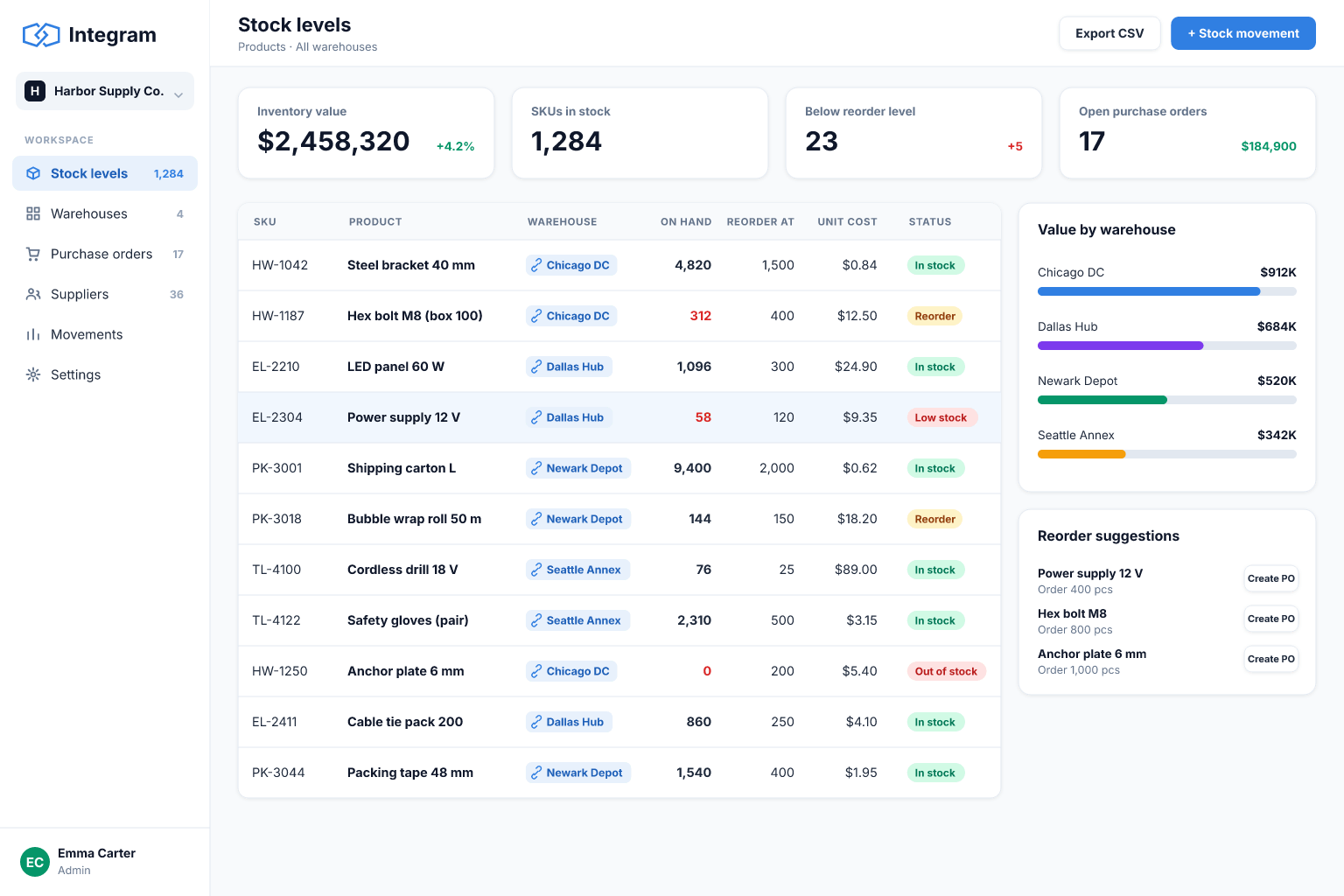
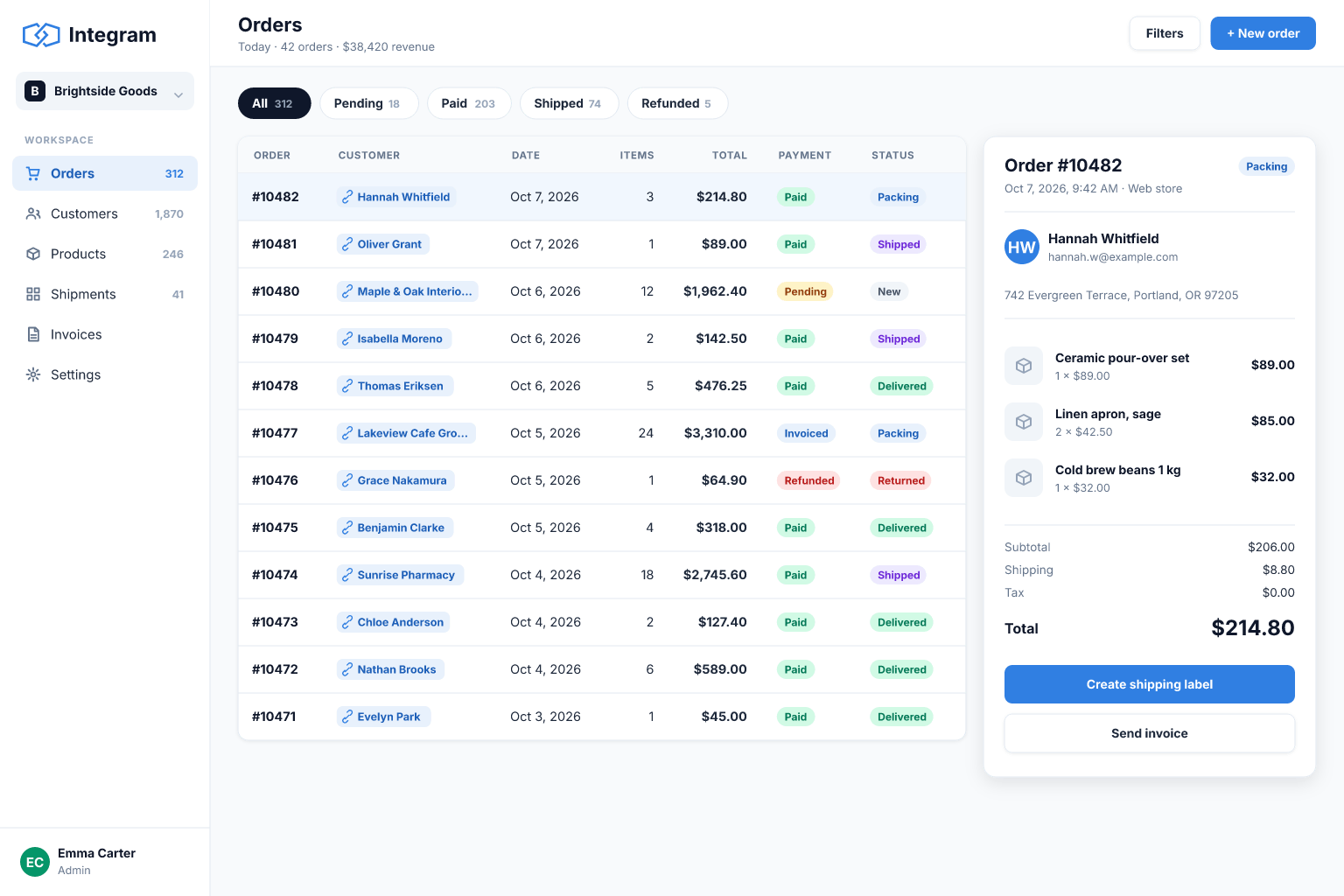
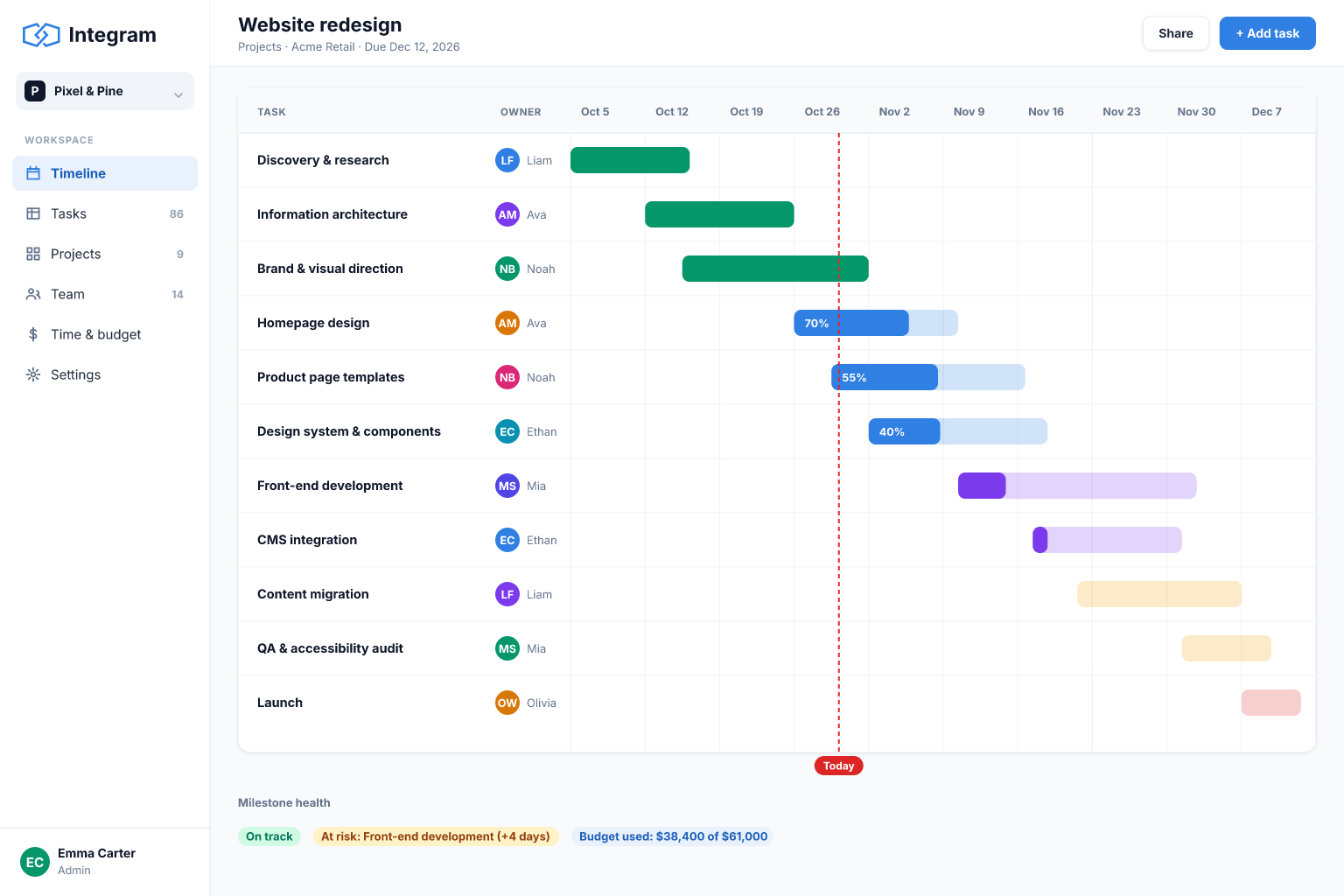
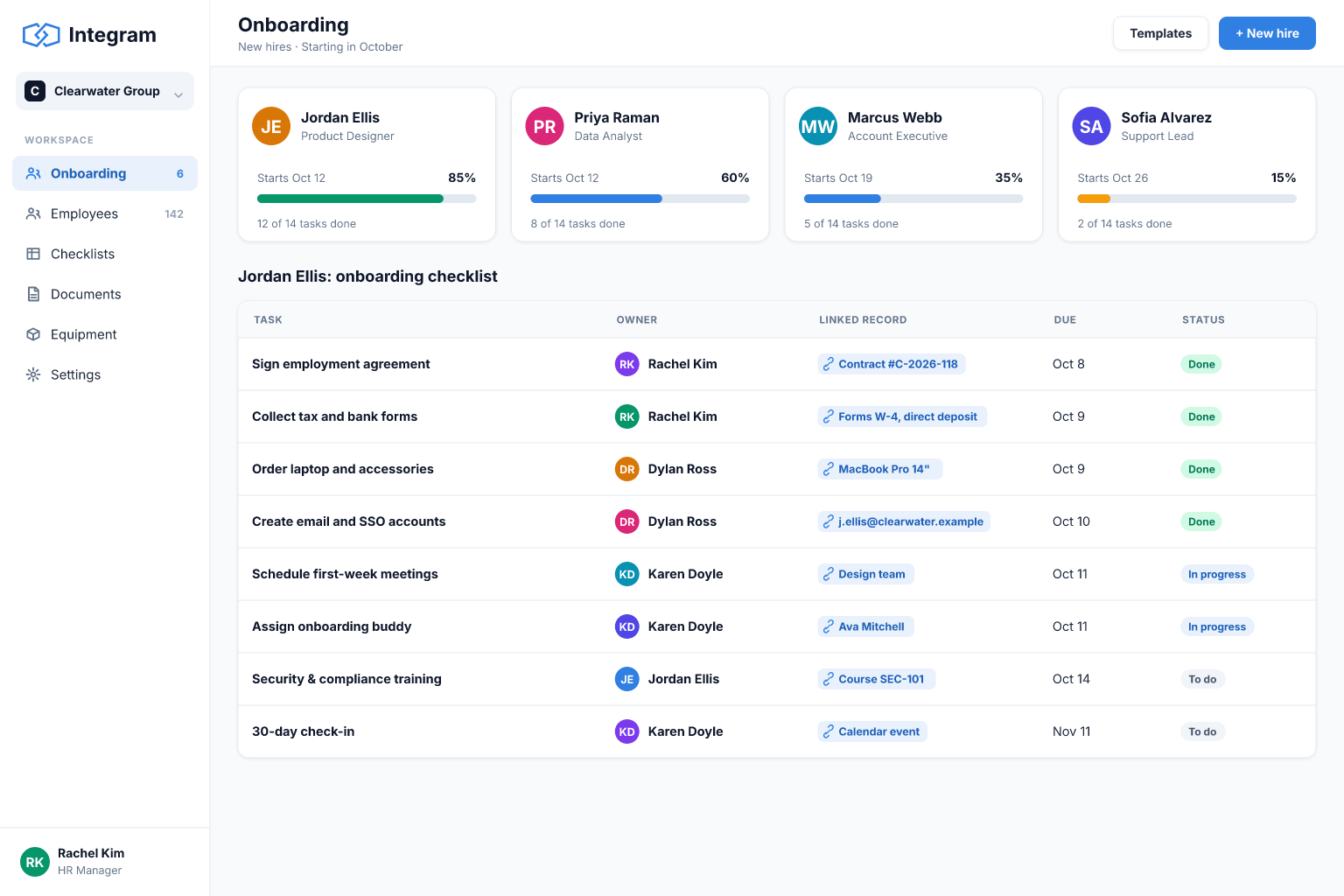
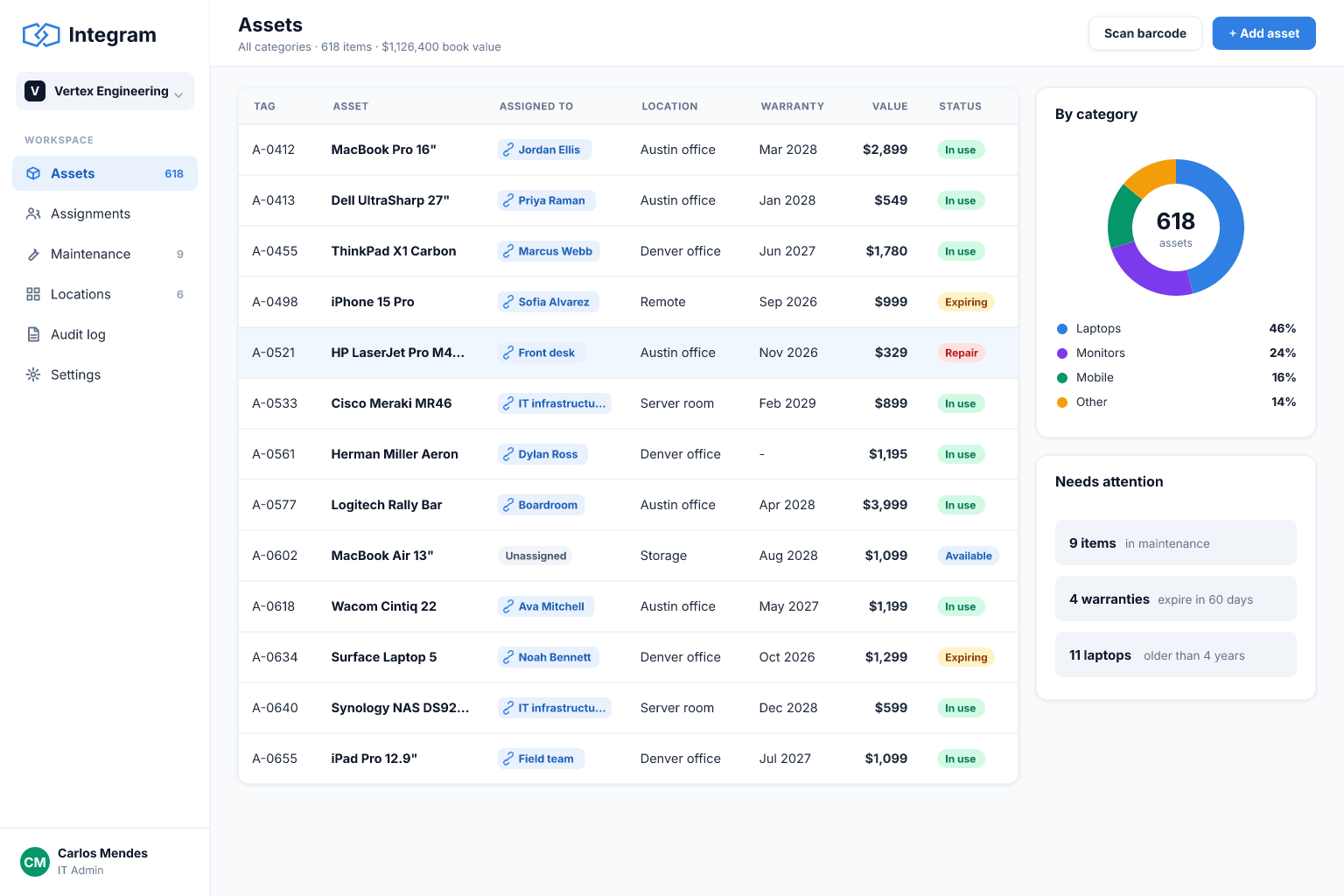
What teams build with Integram
Compared honestly
Where Integram fits next to the tools you know
Airtable, Smartsheet and Notion are excellent no-code products; Supabase is an excellent backend for developers. Here is where Integram is different, and where it is not.
| Capability | Integram | Airtable | Smartsheet | Notion | Supabase |
|---|---|---|---|---|---|
| Build without writing code | |||||
| Flat price, not per seat | |||||
| Row-level access rules | Partly | Partly | Partly | ||
| Self-hosting | |||||
| Excel import with links detected | |||||
| Large template ecosystem | Partly |
Pricing
A flat price for the whole team
Pay for how much the app is used, not for how many people log in. Start free and stay free as long as it fits.
Team
For a small team that has outgrown a shared spreadsheet.
$29per month, flat
- Up to 10 users
- 15,000 actions / month
Business
For companies running daily operations on Integram.
$99per month, flat
- Unlimited users
- 50,000 actions / month
Self-hosted
For teams that need the data on their own servers.
Customannual license
- Unlimited users
- No action metering
Frequently asked questions
What exactly happens when I upload a spreadsheet?
Integram reads every sheet, works out the tables, the data types of each column and which columns point at rows of another sheet. You review that structure, adjust it if needed, and get a web app with a table view, forms for adding records, filters and reports. Your original file is not changed.
Do I need to know SQL or how to code?
No. Tables, links, roles and reports are set up in the interface. If you do code, everything is also available through the REST API, and screens are plain HTML, CSS and JavaScript you can edit.
How do AI agents work with Integram?
Through an MCP server and the REST API. Connect Claude Desktop, Claude Code, Cursor or any MCP client and the agent can create tables, add links, fill in records and run queries in your workspace. It acts with the permissions of the account it uses, so it can never see more than you allowed.
Who can see what?
Roles decide access per table, per column and per row. A sales rep can see only their own clients, a contractor only their own jobs, and nobody outside finance sees margins, all in the same database.
Can I host it myself?
Yes. Integram ships as a Docker container that runs on your own servers and works without internet access. Self-hosting is licensed annually; book a demo and we will size it with you.
What does the free plan include?
One user, 3,000 actions a month, unlimited tables and links, Excel import, forms, reports, and full API and MCP access. That is roughly a couple of hours of active daily work. No credit card needed.
What happens if we go over our monthly actions?
Nothing breaks. On paid plans you keep working and either buy an extra pack or move up a plan next month.
Your spreadsheet, working as an app, today
Start free with your own file. No credit card, no sales call. If you would rather have us build it, book a demo.